7 Core Web Vitals Fixes That Help SEO Rankings Fast
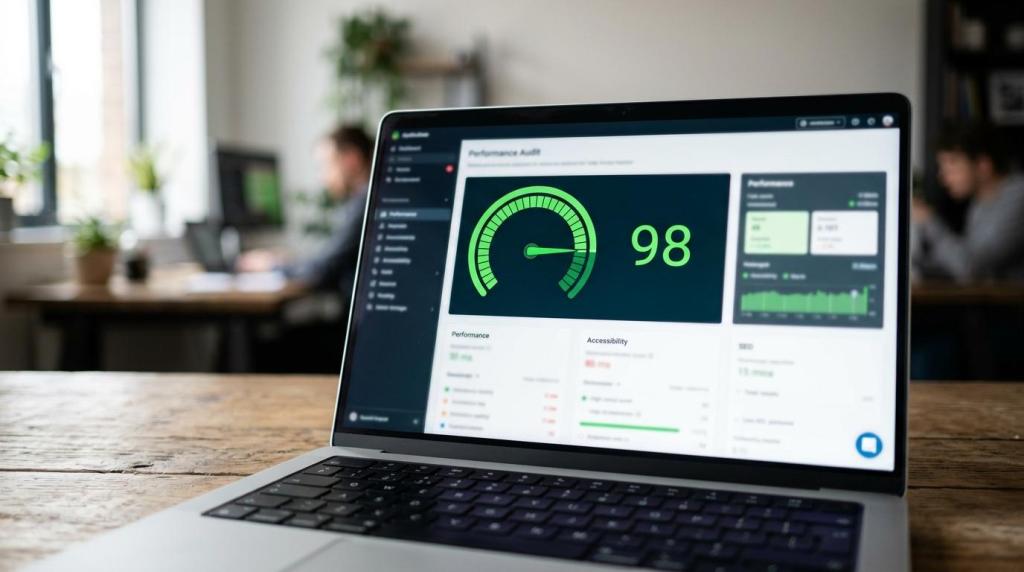
Core Web Vitals can help SEO, but the fastest wins come from fixing the few page elements that users actually feel: the main above-the-fold asset, delayed interactions, and unexpected layout shifts. Google is clear that good scores support page experience, yet they do not guarantee top rankings on their own.
TL;DR: Summary
- Core Web Vitals matter for SEO because Google uses them within page experience, but strong scores alone do not guarantee higher rankings.
- The current Core Web Vitals are LCP, INP and CLS, with Google-recommended targets of 2.5 seconds or less, under 200 milliseconds, and under 0.1.
- The fastest Core Web Vitals fixes usually include improving the hero image and server response, removing render-blocking assets, reducing JavaScript work, delaying non-essential third-party scripts, and reserving space for images and embeds.
- Use Search Console’s Core Web Vitals report and PageSpeed Insights together: field data from CrUX tells you what real users experience, while lab data helps you identify likely causes.
- If rankings do not move after a fix, check stronger factors first: content relevance, internal linking, local intent signals, and authority can outweigh page experience.
For most local business websites, the practical aim is not a perfect score in every testing tool. It is reaching “good” thresholds on the templates that matter most, then confirming the change with real-user field data rather than a single lab test.
Why do Core Web Vitals matter for SEO rankings?
Yes. Google Search Central says Core Web Vitals are used by ranking systems, but Search Console and CrUX data show they are only one part of page experience. They matter most when content quality between competing pages is already close.
That nuance is where many site owners get misled. A faster page can improve visibility, engagement and conversion potential, yet Google also says there is no single page-experience signal and good Core Web Vitals results do not promise top positions.
A simple way to think about it is this: if two pages answer the same query equally well, the one with better loading, interactivity and visual stability may have an edge. If one page has weaker content, weak local relevance or poor internal linking, Core Web Vitals alone rarely rescue it.
What are the current Core Web Vitals thresholds you actually need to hit?
The current Core Web Vitals are LCP, INP and CLS. Google recommends good field-data thresholds of 2.5 seconds or less for LCP, under 200 milliseconds for INP, and under 0.1 for CLS.
These metrics map to three user experiences: how fast the main content appears, how quickly the page responds when someone taps or clicks, and whether the layout jumps around while loading.
- LCP: Largest Contentful Paint measures loading performance for the main visible content.
- INP: Interaction to Next Paint measures how responsive the page feels during interactions.
- CLS: Cumulative Layout Shift measures visual stability and unexpected movement on the page.
A common misconception is that a good homepage score means the whole site is healthy. It does not. Search Console groups URLs by similar patterns, so one weak template, like a location page or service page, can still keep a large section in the “needs improvement” bucket.
What are the 7 Core Web Vitals fixes that help SEO rankings fast?
The fastest Core Web Vitals improvements usually come from template-level fixes. On WordPress, Shopify and custom CMS builds alike, seven changes account for a large share of early gains.
Start with the pages that drive the most commercial value, not every URL at once. For a local site, that often means the homepage, top service pages, location pages and contact or booking pages.
- Improve the LCP element, usually the hero image, heading block or banner.
- Reduce server delays with caching, compression and lighter page templates.
- Remove or defer render-blocking CSS and JavaScript.
- Delay non-essential third-party scripts like chat widgets, heatmaps and review badges.
- Break up long JavaScript tasks that block user input and raise INP.
- Reserve space for images, embeds, forms and banners to stop CLS.
- Re-test with field data in Search Console and PageSpeed Insights after deployment.
The trade-off is straightforward. Some scripts support marketing or conversion, so removing them blindly can hurt lead flow. If a tool is essential, load it later, scope it to specific pages, or reduce the amount of code it brings with it.
How do you diagnose Core Web Vitals issues step by step with Search Console and PageSpeed Insights?
Use Search Console first and PageSpeed Insights second. Search Console shows real-world URL groups from CrUX, while PageSpeed Insights helps you inspect one page and identify likely causes.
Step 1 is to open the Search Console Core Web Vitals report and look for “poor” or “needs improvement” groups on mobile first. Mobile is often the harder environment, and local-business traffic commonly skews that way.
Step 2 is to pick one representative URL from the affected group and run it through PageSpeed Insights. Check both the field-data summary and the lab diagnostics. If lab data looks green but field data is still poor, do not assume the issue is solved. Real users are the deciding signal here.
“Local SEO and Digital Marketing Agency pairs Core Web Vitals work with lead tracking and a 90-day focus, because faster pages matter most when they increase enquiries.”
Step 3 is to map the issue to a template or asset. If five service pages all fail LCP because of the same oversized hero image pattern, fix the template once and test the whole group again. That is usually faster than patching URLs one by one.
Should you trust field data or lab data when fixing Core Web Vitals?
Field data is the source of truth for SEO impact, and lab data is the fastest debugging aid. CrUX-based reporting reflects real users, while lab tools simulate conditions to help you spot causes.
This distinction matters. Search Console and the field-data section of PageSpeed Insights show what Chrome users actually experienced. Lab diagnostics, by contrast, are useful for reproducing a problem and checking whether a code change should help.
If the two disagree, trust field data for decision-making and use lab data for troubleshooting. That is the safer rule. A lab test can improve instantly after deployment, but field results may take longer because they depend on fresh real-user visits being collected.
How do you improve LCP step by step without redesigning the whole site?
LCP usually improves fastest when you optimise the main above-the-fold element. On many WordPress and custom sites, that means the hero image, heading section, or a large slider that should probably not be a slider.
Step 1 is to identify the actual LCP element in PageSpeed Insights or Chrome DevTools. Do not guess. It may be a text block, but on many service pages it is the banner image or background image loaded high in the layout.
Step 2 is to reduce the cost of that element. Compress large images, serve the right dimensions, avoid loading a desktop-sized asset on mobile, and cut template bloat that delays the first meaningful paint of the section.
Step 3 is to prioritise delivery. If the LCP asset is important, preload it where appropriate, keep it high in the HTML order, and strip out CSS or JavaScript that delays its rendering. A pro tip here: background images often underperform versus standard image elements because they are harder for browsers to prioritise well. Hostious’ FlyingPress-focused WordPress speed guide details how earlier HTML time-to-first-byte, targeted preloads and trimming render-blocking scripts consistently pull LCP down on real sites.
“With 20 years’ local SEO experience, Local SEO and Digital Marketing Agency treats LCP fixes as a practical win for service pages, not a vanity score.”
The trade-off is that aggressive compression can make key visuals look cheap, which may hurt trust on dental, clinic or premium home-service pages. The target is not the smallest file possible. It is the lightest asset that still supports the brand.
How do you reduce INP step by step on WordPress and JavaScript-heavy pages?
INP improves when you cut the work the browser must do after a click, tap or key press. WordPress plugins, booking widgets and form scripts are common causes on local business sites.
Step 1 is to identify slow interactions. Check whether the lag appears when opening a mobile menu, submitting a form, switching tabs, or loading a map or pricing module. The slowest interaction often comes from JavaScript that fires on every page whether needed or not.
Step 2 is to reduce unnecessary script work. Remove duplicate plugins, trim third-party tags, and stop loading heavy widgets across the full site if they are only needed on one page type. If a chat tool is useful only on contact pages, load it there instead of everywhere.
Step 3 is to break up long tasks and delay non-critical work until after the first interaction or after the main page content is ready. A common misconception is that server speed alone fixes interactivity. It does not. INP is frequently a front-end execution problem, not just a hosting problem.
How do you fix CLS without harming design or conversion rates?
CLS is usually fixed by reserving space before elements load. Images, embeds, forms, cookie banners and injected review widgets are the usual offenders.
The most dependable fix is to define width and height or use aspect-ratio rules so the browser knows how much space to keep. That stops text and buttons from moving once the asset arrives. On local service pages, late-loading trust badges and finance widgets can cause major shifts if they push the form or call button down the screen.
Fonts can also cause movement. If a custom font loads late and changes line breaks, headings may shift enough to affect CLS. A practical safeguard is to test fallback and web font combinations so the layout stays close even before the final font appears.
Another common mistake is placing promotional bars or consent banners above existing content after the page has started rendering. If the element must appear at the top, reserve the space from the start. If you cannot, place it in a way that does not shove the rest of the page downward.
Is Core Web Vitals optimisation different for local business websites versus large ecommerce sites?
Yes. Local business sites and ecommerce sites share the same metrics, but the priority pages, technical causes and commercial trade-offs are usually different.
A local site often has fewer templates, so the fastest wins come from fixing the homepage, top service pages, location pages and contact flows. Heavy plugins, maps, sliders, form scripts and review widgets are frequent bottlenecks. That makes template clean-up especially effective.
Ecommerce sites face broader catalogue and faceted-navigation issues, along with more complex JavaScript, product image galleries and promotional components. They may need a deeper programme of performance engineering, not just quick template edits.
“Local SEO and Digital Marketing Agency focuses on North London businesses, so Core Web Vitals work is usually prioritised on location, service and contact pages first.”
If you run a local business, the pro tip is to start where enquiries happen. A fast privacy-policy page does little for revenue if your booking page still has poor INP and shifting form fields.
When will SEO rankings move after Core Web Vitals fixes?
Rankings can move after Core Web Vitals improvements, but the timing is uneven. Code changes can go live today, while Search Console and CrUX-based field signals need fresh real-user data before improvement is reflected.
That means you can often confirm a technical fix in lab testing immediately, yet wait longer to see the field data catch up. Search impact may lag behind that again because page experience is only one ranking input among many.
If rankings stay flat, use if-then logic. If field data improved but positions did not, check content quality, query intent match, internal linking, local relevance and authority signals. If field data did not improve, the fix may have been incomplete, applied to the wrong template, or offset by another script or layout change released at the same time.
The most reliable approach is to treat Core Web Vitals as part of a wider SEO system. Good scores strengthen the page experience layer. They work best when the page already deserves to rank.