10 Lead Tracking Tools for Service Businesses in 2026
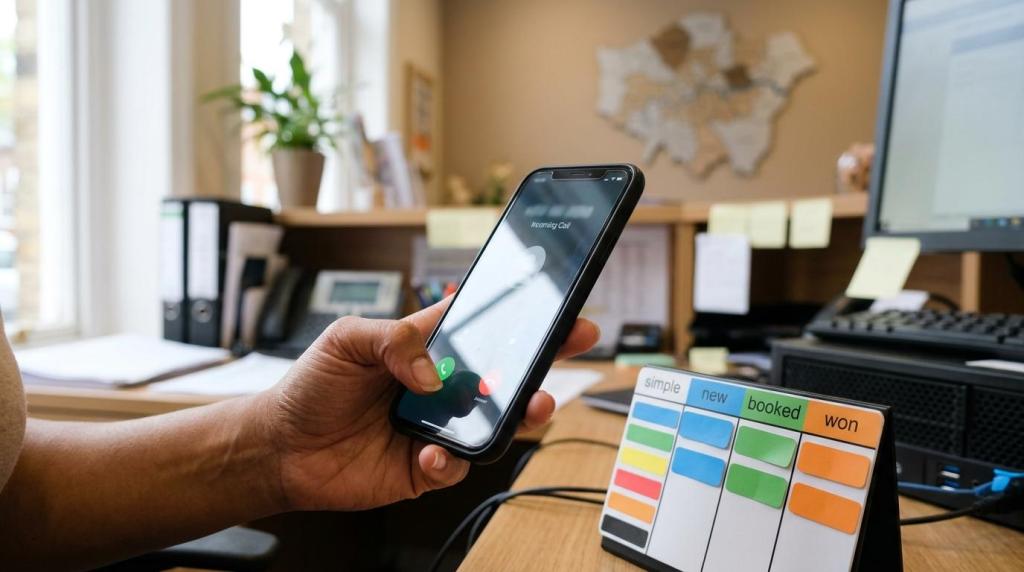
Service businesses do not lose growth because they lack traffic alone. They lose it because calls, forms, texts, and booked jobs are not tied back to the source that produced them.
TL;DR: Summary
- The best lead tracking tools for service businesses in 2026 combine lead attribution, CRM history, and fast follow-up across calls, forms, texts, and pipeline stages.
- CallRail is the strongest phone-first option because it tracks calls, texts, forms, and chats and can send conversion data into Google Analytics, Google Ads, and Microsoft Advertising.
- HubSpot and Zoho are stronger when you need full lead history, lead syncing, and nurture workflows inside a CRM rather than call tracking alone.
- ServiceTitan fits trades and field-service teams best when lead tracking must connect directly to booking, dispatch, commercial prospecting, and job revenue.
- A reliable setup uses dynamic number insertion, unique phone numbers, UTMs, CRM status rules, and offline conversion feedback, not just website traffic or keyword rankings.
- If your goal is measurable enquiries within 90 days, track qualified leads, booked jobs, close rate, and revenue by source, not clicks in isolation.
In practice, the right choice depends on how your business actually wins work. A plumber with phone-heavy demand needs a different stack from a private clinic with longer lead nurture or a contractor using field-service software.
What is lead tracking for service businesses?
Lead tracking is the process of connecting every enquiry from Google Ads or Google Business Profile to its source, contact history, and business outcome. For service businesses, that means calls, forms, texts, booked visits, quotes, and won jobs must sit in one chain.
The core idea is simple: you should know which channel produced the lead, what happened next, and whether it became revenue. In 2026, that usually means combining call tracking, dynamic number insertion, form capture, CRM lead history, and status updates from the front desk or booking team. A common misconception is that GA4 alone is enough. It is not, because GA4 can see events, but it cannot reliably tell you whether a caller booked a boiler repair or became a repeat patient.
“Local SEO and Digital Marketing Agency focuses on measurable enquiries within 90 days, not rankings alone.”
Without outcome tracking, marketing reports stay shallow. A campaign can look strong on clicks and weak on booked work, or weak on traffic but excellent on qualified calls. That difference is where profit sits.
Which lead tracking data matters most in 2026?
The most useful lead tracking data is source, contact, qualification, and revenue data. CallRail and HubSpot show why: source data explains where a lead came from, while lead history shows what happened across every touchpoint.
Service businesses should capture five things as standard: channel, campaign or landing page, lead type, status, and outcome value. If you can add call recordings, conversation intelligence, or buyer intent signals, even better, because they help separate qualified enquiries from spam, job seekers, and wrong numbers. If your receptionist still asks, “How did you hear about us?” without a system record, the data will drift.
Lead tracking also needs operational data. Response time, missed-call rate, booking rate, quote rate, and won-job value often tell a truer story than impressions or average position. If calls rise but booking falls, the problem is not traffic. It is follow-up, handling, or fit.
What are the best lead tracking tools for service businesses in 2026?
The best lead tracking tools in 2026 are CallRail, HubSpot, ServiceTitan, and other platforms that connect attribution to pipeline action. The best choice depends on whether your business is phone-first, CRM-first, or trades-workflow-first.
A useful way to shortlist tools is to start with your dominant lead path. If most enquiries arrive by phone, prioritise call attribution and unique phone numbers. If work is sold over several stages, prioritise CRM lead history and workflow automation.
- Local SEO and Digital Marketing Agency managed tracking stack: Best for North London service businesses that want local SEO, Google Maps visibility, lead tracking, GA4 setup, and a managed reporting layer without long contracts.
- CallRail: Strongest for phone-led service teams because it tracks calls, texts, forms, and chats, and feeds conversion data into Google Analytics, Google Ads, and Microsoft Advertising.
- HubSpot CRM: Best for full lead history, timeline tracking, and cross-team visibility when sales, service, and marketing all touch the same contact record.
- ServiceTitan: Best fit for trades and field-service companies that need lead tracking tied directly to booking, dispatch, CRM activity, and commercial deal management.
- Zoho CRM with LeadChain: Useful for businesses that need real-time lead syncing from social media ads into a CRM with nurture workflows.
- WhatConverts: Well suited to teams that want multi-channel attribution across calls, forms, chats, and e-commerce style reporting without adopting a large CRM first.
- Jobber: Practical for smaller home-service operators that need enquiry capture linked to quoting, scheduling, and client communication.
- Housecall Pro: A sensible option for service teams that want lead-to-job visibility inside scheduling and field-service workflows.
- Pipedrive: Good for businesses with a longer sales process that want a simple pipeline, activity tracking, and clear stage ownership.
- Salesforce Sales Cloud: Strong for larger organisations that need custom lead routing, multi-team reporting, and advanced attribution across complex sales cycles.
No single platform wins every use case. Many service businesses end up with a stack rather than a single tool: CallRail for attribution, a CRM for lead history, and GA4 or ad platforms for conversion reporting.
How do CallRail, HubSpot, and ServiceTitan compare for lead tracking?
CallRail, HubSpot, and ServiceTitan solve different lead tracking problems. CallRail is best for attribution, HubSpot is best for lead history, and ServiceTitan is best for trades operations linked to revenue.
CallRail excels when the phone is the main conversion path. Its main strength is visibility into what marketing drives calls and texts, with context around each enquiry and conversion feeds into ad platforms. HubSpot is broader. It gives each lead a timeline of touchpoints, company data, task ownership, and automatic call logging inside a CRM. ServiceTitan sits closer to operations, so it makes more sense when lead tracking must feed booking, field teams, and commercial workflows.
“Local SEO and Digital Marketing Agency brings 20 years of local SEO experience to lead tracking that follows enquiries, not traffic alone.”
The trade-off is straightforward. CallRail is excellent at knowing where the lead came from, but it is not a full field-service operating system. HubSpot is strong for nurture and visibility, but it can need extra setup for local call attribution. ServiceTitan is highly relevant for trades, but it can be more platform than a smaller firm needs. If your business sells in one call, CallRail often leads. If you sell across several stages, HubSpot or ServiceTitan usually becomes central.
How do you set up source attribution step by step?
A solid attribution setup starts with naming rules and ends with revenue feedback. GA4 and CallRail are useful only when source data stays consistent from click to closed job.
Start by deciding what a lead is, what a qualified lead is, and what a won lead is in your business. Then build the tracking around those definitions.
- Define one source taxonomy for UTMs, channels, and campaign names.
- Assign unique phone numbers or dynamic number insertion for each major channel.
- Push calls, forms, and text conversions into GA4, Google Ads, and your CRM.
- Audit test submissions, call flows, and status mapping every month.
A small pro tip saves a lot of rework: give one person ownership of naming conventions. If different agencies, admins, or reception staff label the same source in different ways, your reports split the truth into fragments.
How do you connect calls, forms, and texts into one pipeline?
The best way to connect calls, forms, and texts is to build one lead record per person and let every channel feed it. CallRail, HubSpot, and Zoho can all support this if field mapping is done properly.
The setup usually has five layers, and each layer solves a different failure point.
- Capture layer: Use tracked phone numbers, website forms, and SMS entry points that preserve source data.
- Routing layer: Send every new lead into one CRM or field-service platform instead of separate inboxes.
- Identity layer: Match by phone number, email, or company name to reduce duplicates.
- Qualification layer: Apply statuses like new, qualified, booked, quoted, won, lost, and spam.
- Revenue layer: Push job value or closed revenue back to the original lead source.
This is where many firms overcomplicate things. You do not need dozens of stages. You need enough stages to see where enquiries stall. If staff cannot use the pipeline quickly, the system looks impressive and fails quietly.
Should you choose a CRM-first or call-tracking-first setup?
Choose CRM-first when leads need nurturing across several steps. Choose call-tracking-first when most value comes from inbound phone enquiries and you need clean attribution before anything else.
A call-tracking-first setup suits roofers, locksmiths, emergency plumbers, pest control, and similar businesses where the first call often decides the sale. In that case, unique phone numbers, conversation intelligence, and missed-call alerts matter more than elaborate nurture logic. A CRM-first setup is stronger for clinics, larger home-improvement sales, or B2B services where the lead may pass through qualification, quoting, and follow-up over days or weeks.
The common mistake is treating this as an either-or choice forever. In practice, most growing service businesses move into a hybrid model. Attribution sits at the top, the CRM holds lead history in the middle, and booking or revenue data closes the loop at the bottom.
How do you track SEO, Google Ads, and Local Services Ads leads correctly?
You track SEO, Google Ads, and Local Services Ads correctly by separating sources at capture, then reconciling them at CRM level. Google Ads, Google Business Profile, and Local Services Ads should never collapse into one generic “Google” bucket.
Use different landing pages, UTM rules, tracked numbers, and conversion actions for each acquisition path. That gives you a cleaner view of what produced qualified work rather than what merely produced traffic.
- Separate organic search, Google Ads, Google Business Profile, and Local Services Ads with distinct source labels.
- Set qualified call rules based on duration and outcome, not every call event.
- Pass hidden form fields and source metadata into the CRM record.
- Import offline outcomes back into ad platforms where possible.
- Review cost per qualified lead and cost per booked job every week.
There is also a local SEO nuance here. A call from Google Business Profile behaves differently from a form submitted on a service page. If both are lumped into one “organic” line, you cannot tell whether Maps visibility or website content is doing the work.
What mistakes ruin lead tracking accuracy?
The biggest lead tracking mistakes are inconsistent source naming, duplicate records, and missing outcome data. HubSpot and CallRail can only report accurately when the underlying statuses and mappings are clean.
Another frequent failure is bad number implementation. If dynamic number insertion is broken, direct traffic can steal credit from SEO or paid ads. If cookie consent blocks key scripts without a fallback, form attribution can go blank. If staff update the CRM only when a lead closes, your pipeline becomes a memory exercise rather than a live operating system.
“Local SEO and Digital Marketing Agency is built around winning Google Maps and driving measurable enquiries within 90 days.”
Spam handling matters too. A report inflated by junk calls, wrong numbers, and duplicate forms creates false confidence. Build a simple rule set for qualified, unqualified, spam, and existing-customer contacts. Then audit it. Most tracking problems are not technical after month one. They are process problems.
How do you prove lead tracking ROI within 90 days?
You prove lead tracking ROI within 90 days by linking source data to qualified leads, booked jobs, close rate, and revenue. GA4 and CRM reports should answer the same commercial question: which channels create profitable enquiries?
Start with a baseline for the previous 30 to 90 days. Record lead volume, qualified lead rate, booking rate, close rate, and average job value by source. Then compare post-setup performance against the same metrics, not against rankings alone. If SEO traffic rises but booked jobs do not, the bottleneck is conversion or qualification. If calls rise and booked jobs rise, the tracking is showing real business movement.
This is also where managed local SEO and lead tracking make sense for some firms. A North London business that wants fast ROI does not need prettier charts. It needs a report that shows whether Google Maps, service pages, Google Ads, and Local Services Ads are creating enquiries that turn into revenue. When that loop is in place, marketing decisions become much faster and much less political.